 CopyPal
The Paste subscription: what it costs and how to cancel it
Paste is one of the best-known clipboard managers for Mac, iPhone and iPad, and most people pay for it by subscription. Here is what each plan costs, what you get, how to cancel, and what happens to your clipboard history when you do. We make a competing app, so every Paste fact below comes from Paste's own pricing and help pages, checked on 2 October 2026.
The short answer: Paste costs $3.99 a month or $29.99 a year, or $99.99 once for its Lifetime plan. Every plan covers Mac, iPhone and iPad on the same Apple Account, and there is a 7-day free trial.
What Paste costs in 2026
| Plan | Price (US) | Where to buy it | Good to know |
|---|---|---|---|
| Monthly | $3.99 a month | App Store, Paste's website | Cancel any time |
| Annual | $29.99 a year | App Store, Paste's website | About $2.50 a month |
| Lifetime | $99.99 once | App Store, Paste's website | Includes future updates; no Family Sharing |
| Family | $59.99 a year | App Store only | Up to six people through Family Sharing |
| Teams | Per seat | Paste's website only | Volume discounts, one invoice |
| Setapp | Part of a Setapp membership | Setapp | The Mac app is included; iPhone and iPad need a Setapp plan that covers iOS |
Students and educators get 30% off the first year of the annual plan by writing to Paste from their school or university email address. Prices exclude tax and vary by country.
What the subscription gets you
Every plan unlocks the same app. As Paste puts it, the plans differ in how you pay, not in what you get:
- Paste on Mac, iPhone and iPad. One purchase covers every device signed in to the same Apple Account.
- A visual clipboard history. Each copy becomes a card with a preview. History is kept for 30 days by default, and you can change that to a day, a week, a year or forever.
- Pinboards for the things you paste again and again. Pinned items are never trimmed by the history limit.
- Sync through iCloud. With sync on, your history follows you between devices through your private iCloud account. Paste says it never stores your clipboard on its own servers.
How the free trial works
The trial lasts 7 days with everything unlocked on all your devices, but it starts differently depending on where you get Paste.
- From Paste's website: the trial starts in the app, with no account and no card, and nothing is charged when it ends.
- From the App Store: the free week comes attached to your first subscription. It renews automatically unless you cancel at least 24 hours before the trial ends, and Apple only offers it if you have never subscribed to Paste through Apple before.
When a trial ends, Paste keeps your history, so it is still there if you decide to buy a plan later.
Monthly, annual or lifetime: which works out cheaper?
Simple arithmetic at today's US prices:
- Annual beats monthly if you keep Paste for eight months or more. Twelve monthly payments come to $47.88, so paying for the year upfront saves $17.89.
- Lifetime beats annual in the fourth year. Three years of the annual plan cost $89.97; a fourth takes the total to $119.96, past the $99.99 lifetime price.
- Lifetime beats monthly after about two years. $99.99 is roughly 25 months of the monthly plan.
- Family is the cheapest per person. $59.99 a year shared by six people is about $10 each.
Already subscribed and tempted by Lifetime? There is no credit for the time left on a subscription. Paste suggests cancelling, using up the period you have paid for, and then buying Lifetime, or asking for a refund of a recent renewal first.
How to cancel a Paste subscription
You cancel wherever you subscribed. Not sure where that was? Look at the receipt: one from Apple means the App Store, a charge from Paste's website means you bought it direct, and a Setapp membership means Setapp.
Subscribed through the App Store, on a Mac
- Open the App Store and click your name at the bottom of the sidebar.
- On the page that opens, click your name again. Sign in if you are asked.
- Click Subscriptions, then click Paste.
- Click Cancel Subscription.
Subscribed through the App Store, on iPhone or iPad
- Open Settings and tap your name.
- Tap Subscriptions, then tap Paste.
- Tap Cancel Subscription. You may need to scroll down to find it.
No Cancel button, or an expiry date in red? Then the subscription is already cancelled and will not renew.
Bought on Paste's website
Sign in to your Paste account with the email address you bought with, and cancel from there.
Using Paste through Setapp
Paste is part of the Setapp bundle, so there is nothing to cancel for Paste alone. You manage or cancel the whole membership in the Setapp app.
Wherever you cancel, Paste keeps working until the end of the period you have already paid for. Cancelling only stops the next renewal.
What happens to your clipboard history
- It stays on your devices. Paste stores your history on each device, and in your private iCloud account if sync is on, not on Paste's servers.
- You can pick it up again. Paste says your history is kept when a trial ends, so it is waiting if you buy a plan later.
- It does not move to other apps. Clipboard managers keep their history in their own formats, and none of the alternatives imports Paste's. If you are switching, install the new app a week or two before your paid period runs out so it builds up its own history, and copy anything you need from your pinboards into a note.
Want your money back instead? Refunds go through whoever took the payment: Apple for App Store purchases (at reportaproblem.apple.com, and the decision is Apple's), Paste itself for orders from its website, and Setapp for Setapp.
If you would rather not pay every month
Be clear about what the subscription buys. Paste's strongest feature is the same clipboard on your Mac, iPhone and iPad, and none of the options below does that. If you only need a clipboard history on your computer, though, there are cheaper ways to get one:
- The one built into your Mac. Since macOS 26, Spotlight can keep your recent copies for up to seven days. It is free and basic: copies expire after the time you choose and nothing can be pinned. Our guide to macOS clipboard history shows how to turn it on.
- Maccy is free and open source: a small, fast list of recent copies, mostly text.
- CopyPal, which we make, costs $10 once for two devices, Mac or Windows PC. It keeps every text, link, image and screenshot, remembers the app and web page each one came from, finds screenshots by the words inside them, and has snippets, a paste stack, pins and groups. Nothing is uploaded, and there is a 14-day refund.
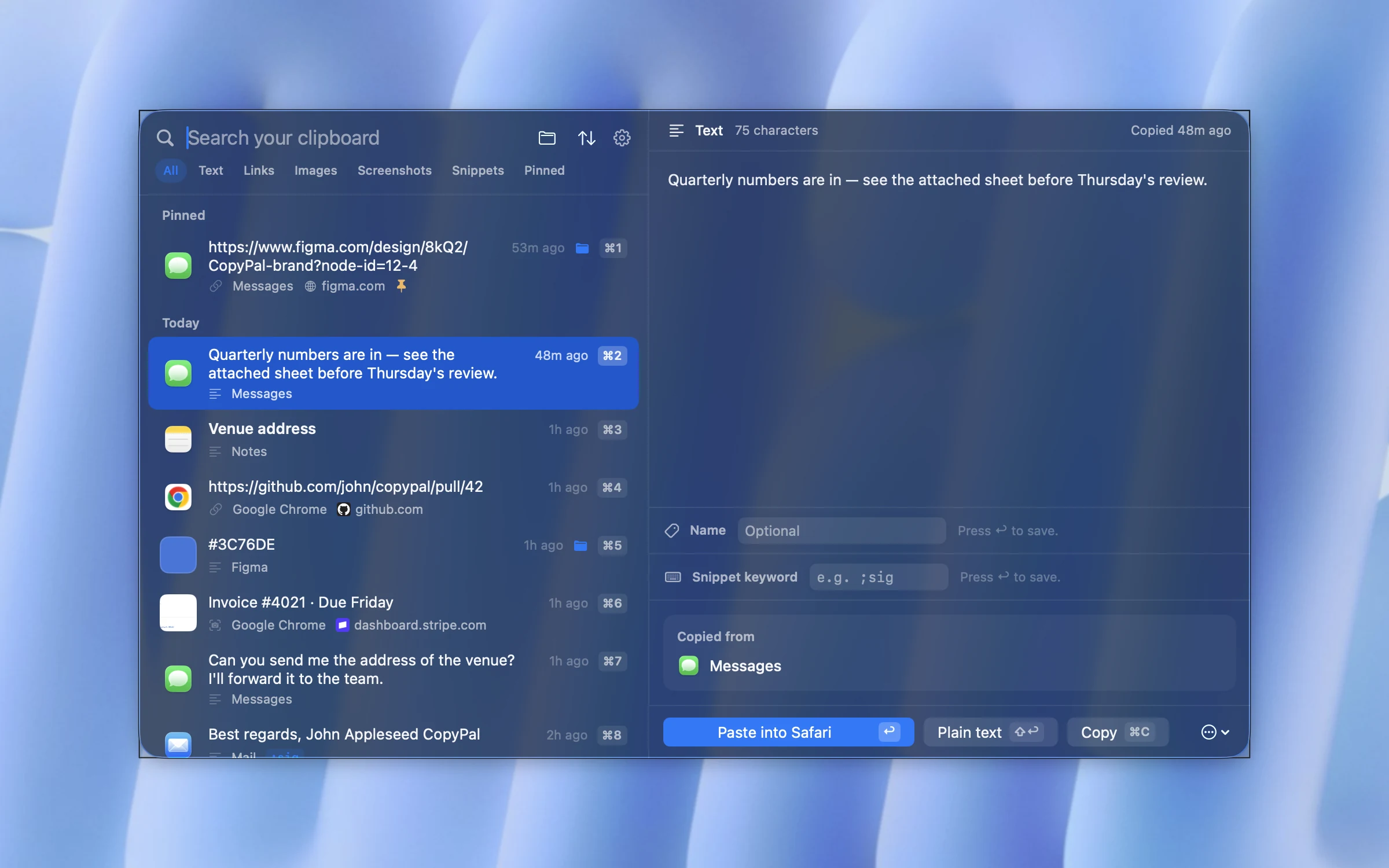
For a fuller comparison, including Raycast, Alfred and ClipBook, read the best Paste alternatives for Mac.
Frequently asked questions
How much does the Paste subscription cost?
As of October 2026, Paste costs $3.99 a month or $29.99 a year in the US, before tax. There is also a one-time Lifetime plan for $99.99, a Family plan for $59.99 a year on the App Store, and a Teams plan priced per seat on Paste's website.
Does Paste have a one-time purchase?
Yes. The Lifetime plan costs $99.99 once and includes future updates on Mac, iPhone and iPad. It does not include Family Sharing.
Is Paste free?
No. Paste has a 7-day free trial with every feature unlocked, after which you need a plan. It is also included in a Setapp membership.
How do I cancel my Paste subscription?
Cancel where you subscribed. On a Mac, open the App Store, click your name, click your name again, then Subscriptions, Paste and Cancel Subscription. On iPhone or iPad, go to Settings › your name › Subscriptions › Paste. If you bought on Paste's website, cancel in your Paste account. Through Setapp, manage the membership in the Setapp app.
What happens to my clipboard history if I cancel Paste?
Paste keeps working until the end of the period you have paid for. Your history is stored on your own devices, and in your private iCloud account if sync is on, and Paste says it keeps the history when a trial ends so you can pick it up again by buying a plan. Other clipboard managers cannot import it.
Is there a cheaper alternative to Paste?
On macOS 26 and later, Spotlight has a free clipboard history that keeps copies for up to seven days. Maccy is free and open source. CopyPal costs $10 once for two devices, Mac or Windows PC. None of these puts your clipboard on an iPhone, which is what Paste's plans include.