 CopyPal
The best Paste alternatives for Mac in 2026
Paste is the clipboard manager most Mac users hear about first, and for good reason. But if you are here, something about it stopped working for you, most likely the subscription. Here are five alternatives, what each one does better, and what you give up. We make one of them, so weigh our opinion accordingly.
What Paste does well
Credit where it is due. Paste has the most polished look in the category: every copy becomes a card with a preview, pinboards let you organise things visually, and it syncs your history across Mac, iPhone and iPad through iCloud. Its search is quick and its keyboard flow is solid. If you live on three Apple devices and want the same clipboard on all of them, it remains hard to beat.
Why people look for an alternative
- The price. Paste costs $3.99 a month or $29.99 a year, or $99.99 for its lifetime plan. For a utility you use every day for years, that adds up, and many people simply do not want another recurring charge for a clipboard. Our guide to Paste's pricing breaks down every plan.
- Sync you did not ask for. If you only use one Mac, iCloud sync is a feature you pay for and never touch, and some people would rather their clipboard never left the machine at all.
- Weight. The card interface is lovely and also takes up a lot of screen. Some users want a smaller, faster panel.
- Missing context. Paste shows which app a copy came from, but not the web page. If you copy from a browser all day, "Safari" is not much of a clue.
Quick comparison
| App | Price model | Strength | Trade-off |
|---|---|---|---|
| Paste, for reference | $3.99 a month, $29.99 a year or $99.99 once | Visual cards, pinboards, sync to iPhone and iPad | The most expensive option |
| CopyPal | $10 one-time, 2 devices (Mac or PC) | Remembers the app and web page, searchable screenshots, snippets | macOS 14+, no iPhone app |
| Maccy | Free, open source | Fast, tiny, keyboard-driven | Text-first, no sources or snippets |
| Raycast | Free with the launcher; Pro for longer history | Built into a launcher you may already use | You get the whole launcher whether you want it or not |
| Alfred | One-time Powerpack licence | Clipboard history plus excellent snippets | Also a launcher; history lives in a list, no previews of note |
| ClipBook | One-time purchase | Lots of text tools, tags, search inside images | No source page, no snippet expansion |
Prices and features change. Every claim here reflects the apps' own websites as of September 2026; check before buying.
1. CopyPal
CopyPal was built around the question Paste never answers: where did this come from? Every item is filed with the app it was copied from and, for browsers, the page title and address. Select an old link or a paragraph and you can jump straight back to its page, or paste it together with the source as a citation.
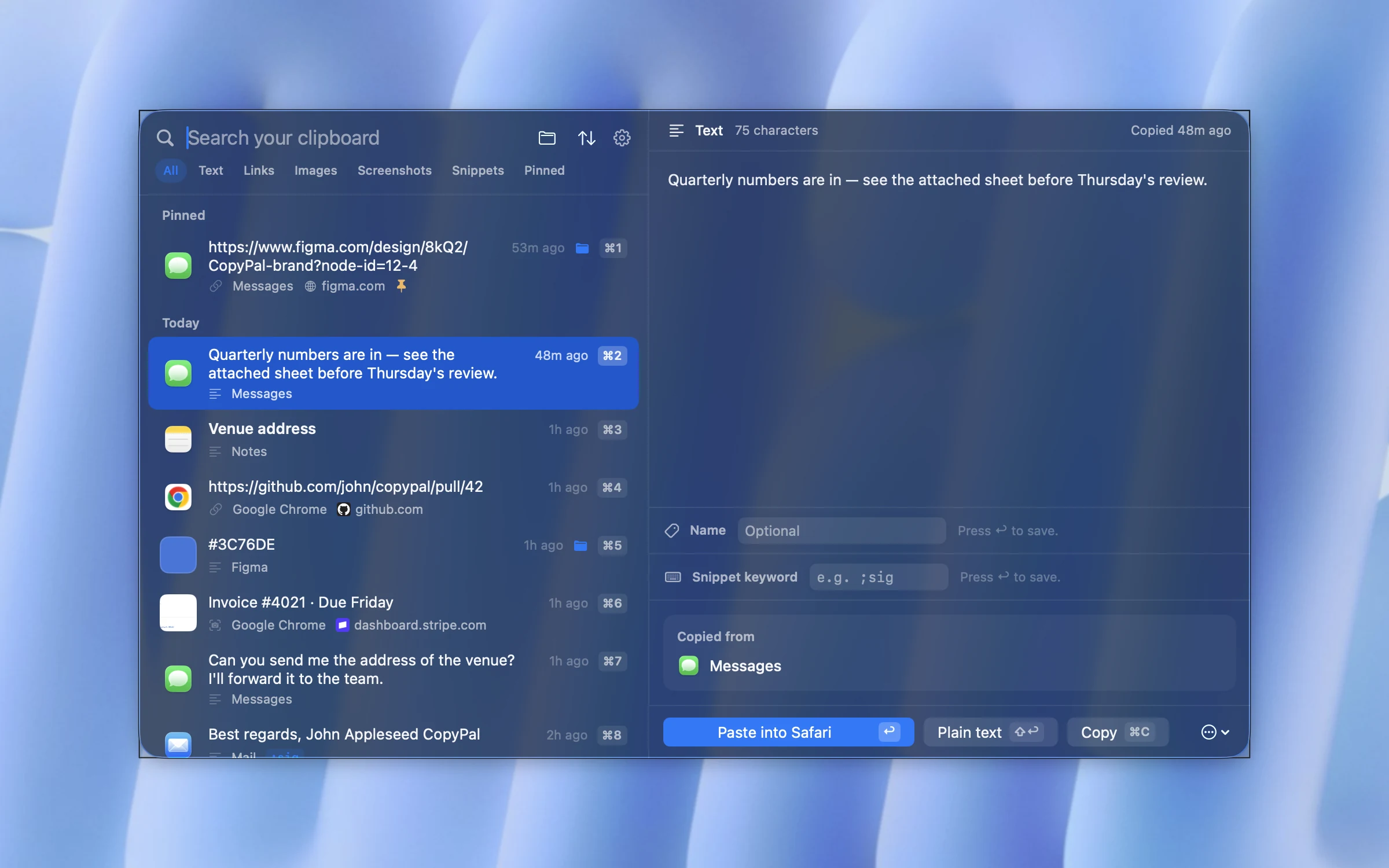
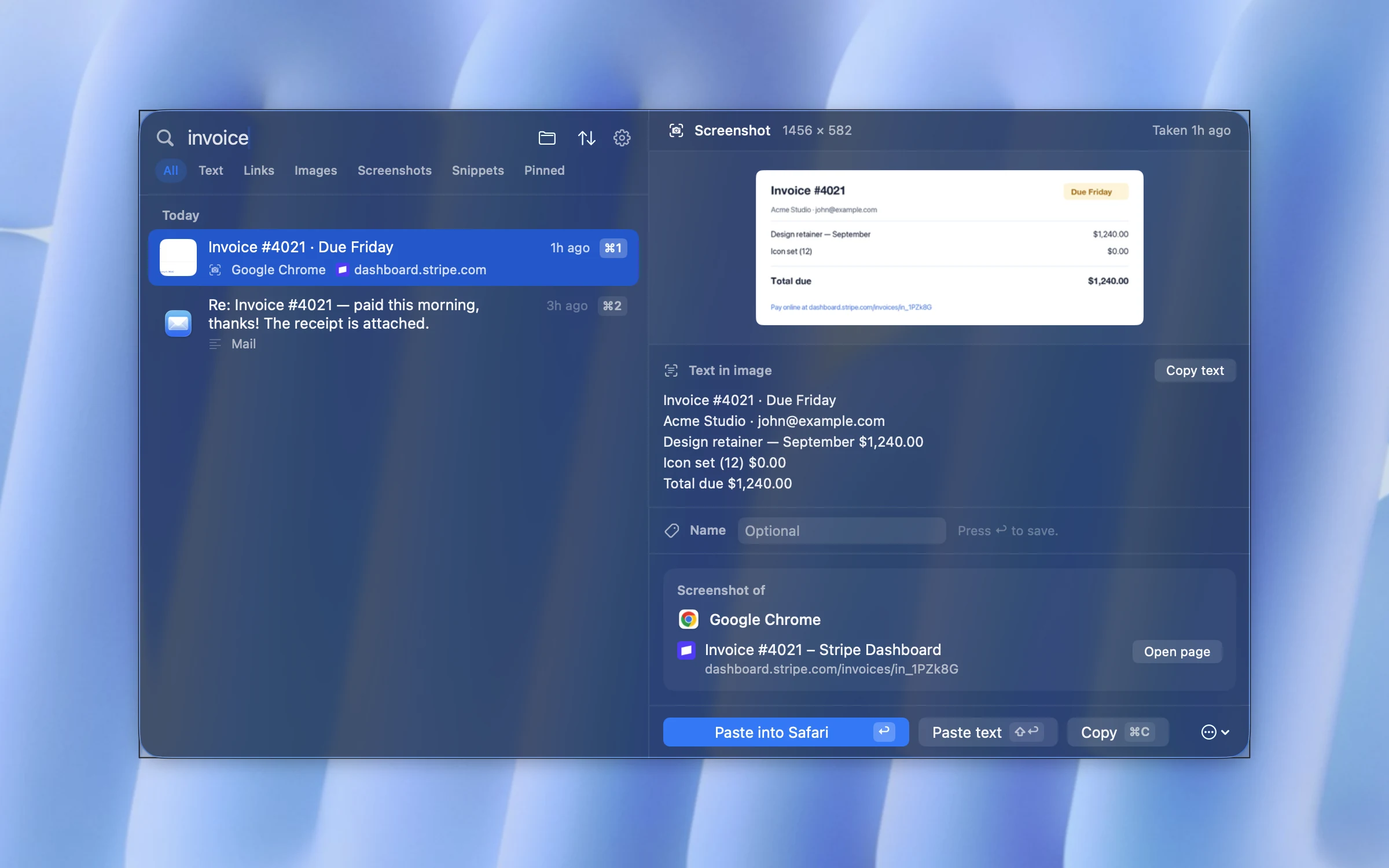
Screenshots are captured automatically and the text inside them is recognised on your Mac, so searching for a word finds the screenshot that contains it. There are snippets that expand when you type a keyword, a paste stack for pasting several items at once, groups, pins and custom names. It is a one-time purchase covering two devices, Mac or PC, with a 14-day refund, and nothing leaves your machine.
What you give up from Paste: the iPhone and iPad apps, iCloud sync, and the card-style gallery. If you only use a Mac, you may not miss any of them.
2. Maccy
Maccy is the minimalist's answer: free, open source and a fraction of Paste's footprint. A shortcut opens a small popup of your recent copies, you type to filter, press Return, done. It handles images and lets you pin items and ignore apps.
What you give up: sources, snippets, groups, and search inside images (since version 2.7 it can preview an item and copy the text out of an image, one at a time). Maccy is deliberately plain, which is exactly why its fans like it.
3. Raycast
If you already use Raycast as your launcher, its clipboard history is one keystroke away and costs nothing. It keeps text, images, links and colours, and shows which app each item came from. It keeps up to three months of history free, longer with Pro, and its clipboard history stays on your Mac: Raycast never syncs it.
What you give up: independence. You are adopting a whole launcher to get a clipboard. If Spotlight is fine for you, this is a heavy trade.
4. Alfred
Alfred's Powerpack, a one-time licence, includes a clipboard history and one of the best snippet systems on the Mac, with keyword expansion and placeholders. Long-time Alfred users often never look further.
What you give up: like Raycast, it is a launcher first. The clipboard is a text list without much in the way of previews, and it does not remember web pages or search inside screenshots.
5. ClipBook
ClipBook is a newer one-time purchase with a long feature list: tags, custom names, dozens of text transformations, merging and splitting items, several sort orders and search inside images. It runs on macOS 13 and is open source.
What you give up: source pages and snippet expansion, and there is no phone app.
Switching from Paste: what to expect
- Your history does not migrate. None of these apps imports Paste's database. Run both for a week; the new app builds its own history from the moment you install it.
- The shortcut can stay the same. Paste opens with ⇧⌘V. So does CopyPal, so your muscle memory carries over. Maccy and the launchers use their own defaults, all changeable.
- Pinboards become groups or pins. CopyPal and ClipBook have groups; Maccy and Alfred have pins only.
- Cancel the subscription last. Keep Paste until the new app has a couple of weeks of history and you have stopped opening the old one. Here is how to cancel, wherever you subscribed.
Frequently asked questions
Is there a one-time purchase alternative to Paste?
Yes. Paste itself sells a $99.99 Lifetime plan. Cheaper one-time options are CopyPal ($10 for two devices) and ClipBook, and Alfred's clipboard history comes with its one-time Powerpack licence. Maccy and CopyClip are free.
Can I move my Paste history to another app?
Not directly. Clipboard managers keep their history in their own formats and none of the apps here imports Paste's. Run both side by side for a week and let the new one build its own history.
Which Paste alternative works without iCloud?
CopyPal, Maccy, ClipBook and CopyClip all keep your history only on your Mac and never upload it. Raycast keeps its clipboard history on your Mac too; its Cloud Sync never includes it.
Keep reading
- The Paste subscription: what it costs and how to cancel it
- The best Maccy alternatives for Mac in 2026
- The best clipboard managers for Mac in 2026, compared
- How to see clipboard history on a Mac
- The best Pastebot alternatives for Mac in 2026
- Clipboard managers without a subscription: one-time purchase options in 2026