 CopyPal
The best Ditto alternatives for Windows in 2026
Ditto has been the default answer to “which clipboard manager for Windows?” for the best part of twenty years, and it still works. But its interface has not kept up, and a few things people now expect are missing. Here is what to consider instead, including the one we make, with the trade-offs spelled out.
What Ditto does well
Credit first. Ditto is free and open source, it is light on memory, and it has been maintained for a very long time. A hotkey opens a list of everything you copied, you type to filter and press Enter to paste. It keeps images as well as text, lets you put clips into groups, assign a hotkey to a clip you use often, paste several clips at once, and sync your history between your own PCs over the local network. For a lot of people that is the whole job.
Where it falls short
- It looks its age. The list, the options dialog and the icons have not changed much in a decade, and the settings are a maze of tabs.
- It does not remember where a copy came from. A link is a link; there is no page title, no address to go back to.
- Screenshots are pictures only. You cannot find one by the words in it.
- No keyword snippets. Per-clip hotkeys are handy, but you cannot type a short keyword and have it expand into your signature.
If none of that bothers you, keep Ditto. If one of them does, read on.
CopyPal
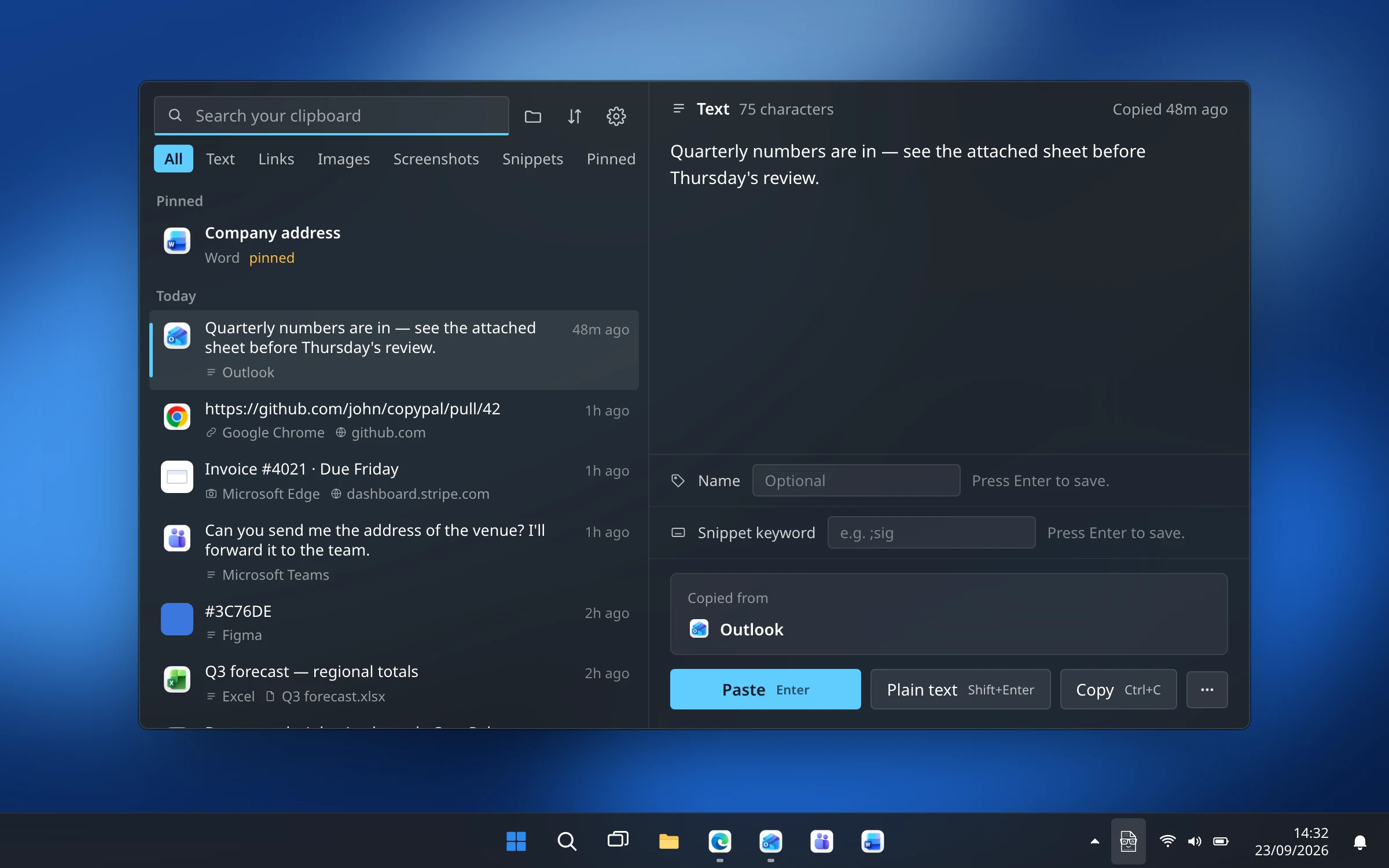
CopyPal is ours, so treat this section as a pitch with the reasons shown. It was built around one idea: a clipboard history should remember not just what you copied but where. Every item is filed with the app it came from, and for Chrome, Edge, Firefox and Brave also the page title and address, so a link or a quote is never orphaned. Screenshots are kept and the text inside them is recognised on your PC, so a search for a word finds the screenshot that contains it.
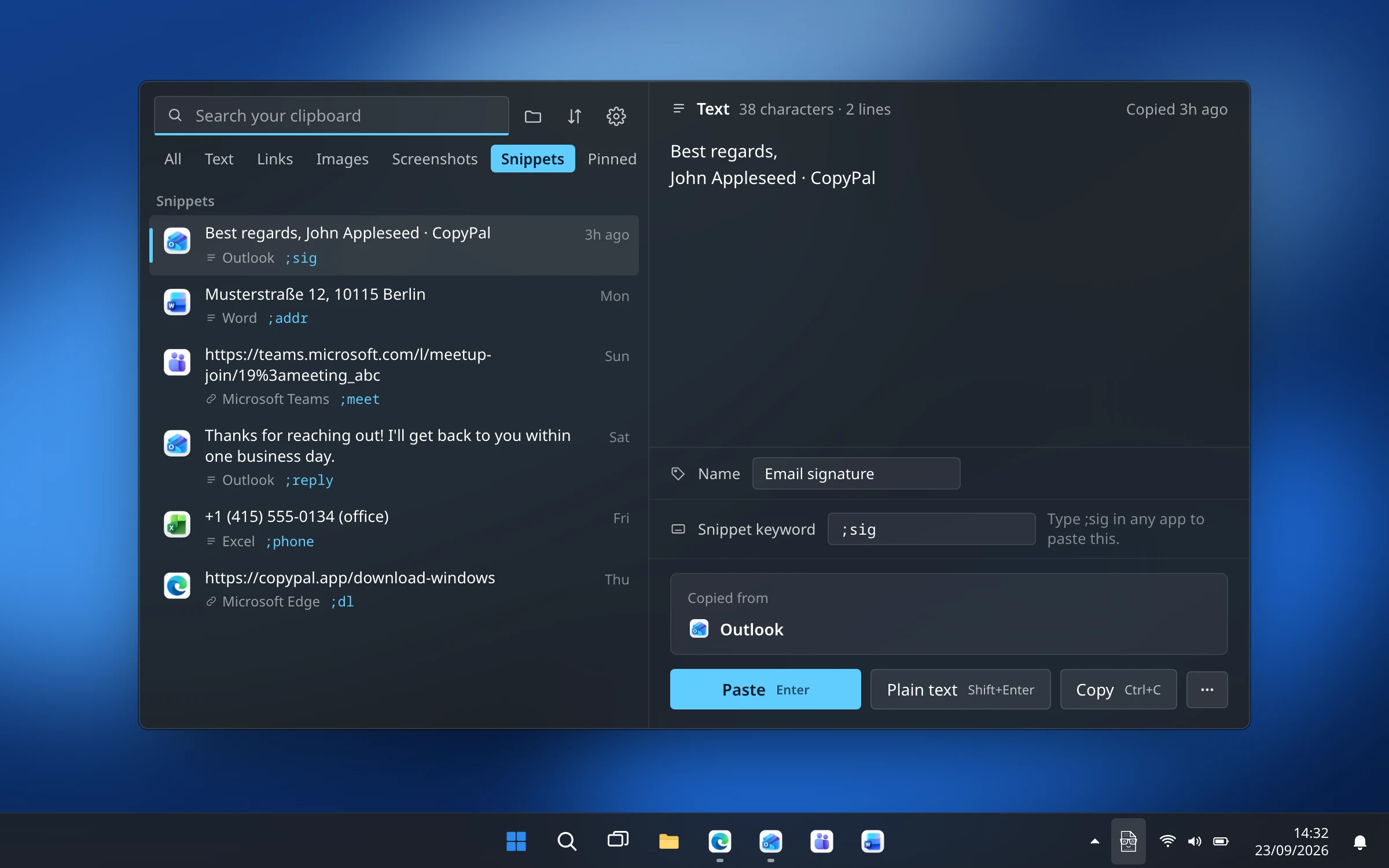
On top of that: snippets that expand when you type a keyword, a paste stack that pastes several items in order, pins, names and groups, search filters such as from:chrome and site:github.com, and an interface that follows Windows' light or dark mode and your accent colour. It is a one-time purchase that covers two devices, Mac or PC, and nothing leaves your machine.
What you give up: Ditto's network sync between PCs, and the price of free. CopyPal is $10 once, with a 14-day refund rather than a free tier.
Best for: people who copy from many apps and pages all day and want to find things again by where they came from.
CopyQ
CopyQ is the closest thing to Ditto's spirit: free, open source, and built for people who like to configure. It runs on Windows, macOS and Linux, keeps clips in tabs with tags, lets you edit a clip in place, and exposes everything through scripts and a command-line interface. If you want a hotkey that pastes your clipboard uppercased, or a rule that files every URL into its own tab, CopyQ can be made to do it.
What you give up: simplicity. The interface is functional, and the good stuff needs configuring. Like Ditto, it does not remember source pages or search inside screenshots.
Best for: tinkerers, and anyone who also uses Linux or a Mac and wants one tool everywhere.
ClipboardFusion
ClipboardFusion, from the DisplayFusion people, is strongest at cleaning text on its way to the paste: it can strip formatting automatically, and macros written in C# with triggers can transform text that matches a pattern. The free version includes a clipboard history and pinned items; Pro adds cloud sync and more.
What you give up: Ditto's groups and paste-several workflow, and, as with Ditto, there is no memory of where a copy came from.
Best for: people whose main problem is formatting, not finding things.
Windows Clipboard History
If you only used Ditto for the occasional “what did I copy a minute ago?”, the built-in history may be enough. Press Win+V, turn it on, and Windows keeps your last 25 copies until you restart, with pins for the ones you want to keep. There is no search and no source memory, but there is also nothing to install.
What you give up: almost everything Ditto does beyond a short list, including search.
Best for: light use, and locked-down work PCs.
Quick comparison
| App | Price model | Remembers source page | Screenshots searchable by text | Snippets | Sync between PCs |
|---|---|---|---|---|---|
| Ditto | Free, open source | No | No | Hotkeys per clip | Yes, over your network |
| CopyPal | $10 one-time, 2 devices | Yes, app and page | Yes | Yes, keywords | No |
| CopyQ | Free, open source | No | No | Through scripts | No |
| ClipboardFusion | Free; Pro for sync | No | Not advertised | Macros and triggers | Pro, through its cloud |
| Windows Clipboard History | Free, built in | No | No search at all | No | Optional, through your Microsoft account |
"Not advertised" means the feature is not listed on the app's own website as of September 2026. Prices and features change; check each site before you decide.
How to choose
- Ditto's looks are the only problem: CopyQ, and spend an evening configuring it.
- You want formatting stripped automatically: ClipboardFusion.
- You barely used Ditto: Win+V and pins.
- You want to find things by where they came from, including screenshots, with snippets and a paste stack, and do not need PC-to-PC sync: CopyPal.