 CopyPal
The best clipboard managers for Windows in 2026, compared
Windows has a clipboard history built in now, and for some people it is enough. For everyone else there are decades-old free tools and a few newer paid ones. We make one of them, so read this as an opinionated guide with the reasoning shown, not a neutral review.
What a clipboard manager actually does
Every one of these apps does the same core job: it watches the clipboard, keeps a history of what you copy, and gives you a panel or hotkey to find an old item and paste it again. The differences are in what else they remember, how you find things, and what they cost. We looked at five things that matter in daily office work:
- Price model. Free, one-time purchase, or subscription.
- Where it came from. Does the app remember which program and which web page a copy came from, so you can go back?
- Screenshots. Are screenshots kept, and can you find one by the words inside it?
- Snippets. Can you type a short keyword and have it expand into a block of text?
- Privacy. Does your history stay on your PC?
Quick comparison
| App | Price model | Remembers source page | Screenshots searchable by text | Snippets | Stays on your PC |
|---|---|---|---|---|---|
| CopyPal | $10 one-time, 2 devices (Mac or PC) | Yes, app and page | Yes | Yes | Yes |
| Windows Clipboard History | Free, built in | No | No search at all | No | Yes, unless you turn on sync |
| Ditto | Free, open source | No | Images kept, no text search | Hotkeys per clip, no keyword expansion | Yes; optional sync between your own PCs |
| CopyQ | Free, open source | No | Images kept, no text search | Through scripts and commands | Yes |
| ClipboardFusion | Free; Pro for sync and more | No | Not advertised | Macros and triggers, no keyword expansion | Yes; Pro syncs through its cloud |
"Not advertised" means the feature is not listed on the app's own website as of September 2026. Prices and features change; check each site before you decide.
CopyPal
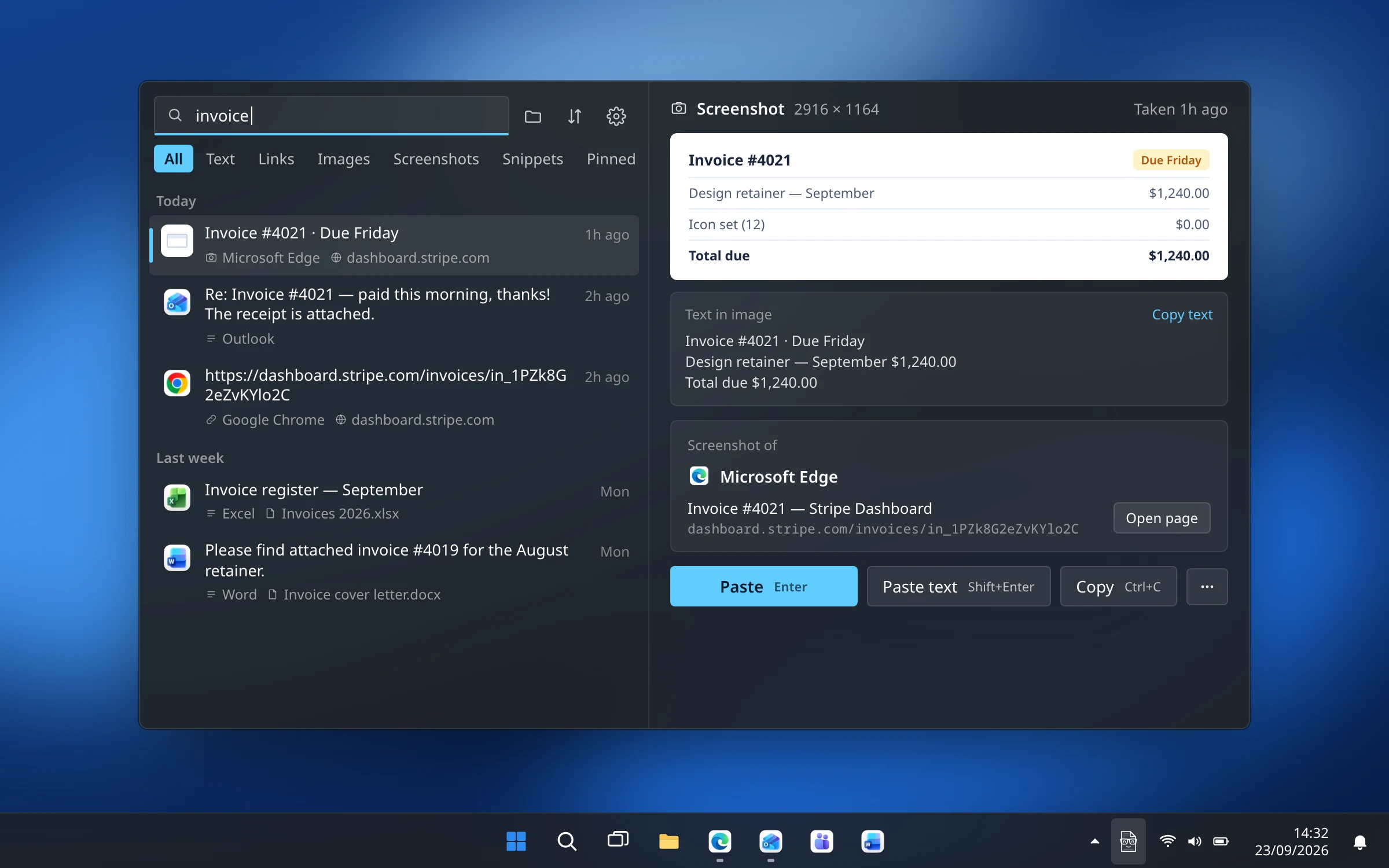
CopyPal is the one we build, and it exists because of one frustration: knowing you copied something last week and having no idea where it came from. Every item CopyPal records is filed with the app it came from, and for Chrome, Edge, Firefox and Brave also the page title and address, so one click reopens the page. Press Ctrl+Shift+V, type a word, and the list narrows as you go.
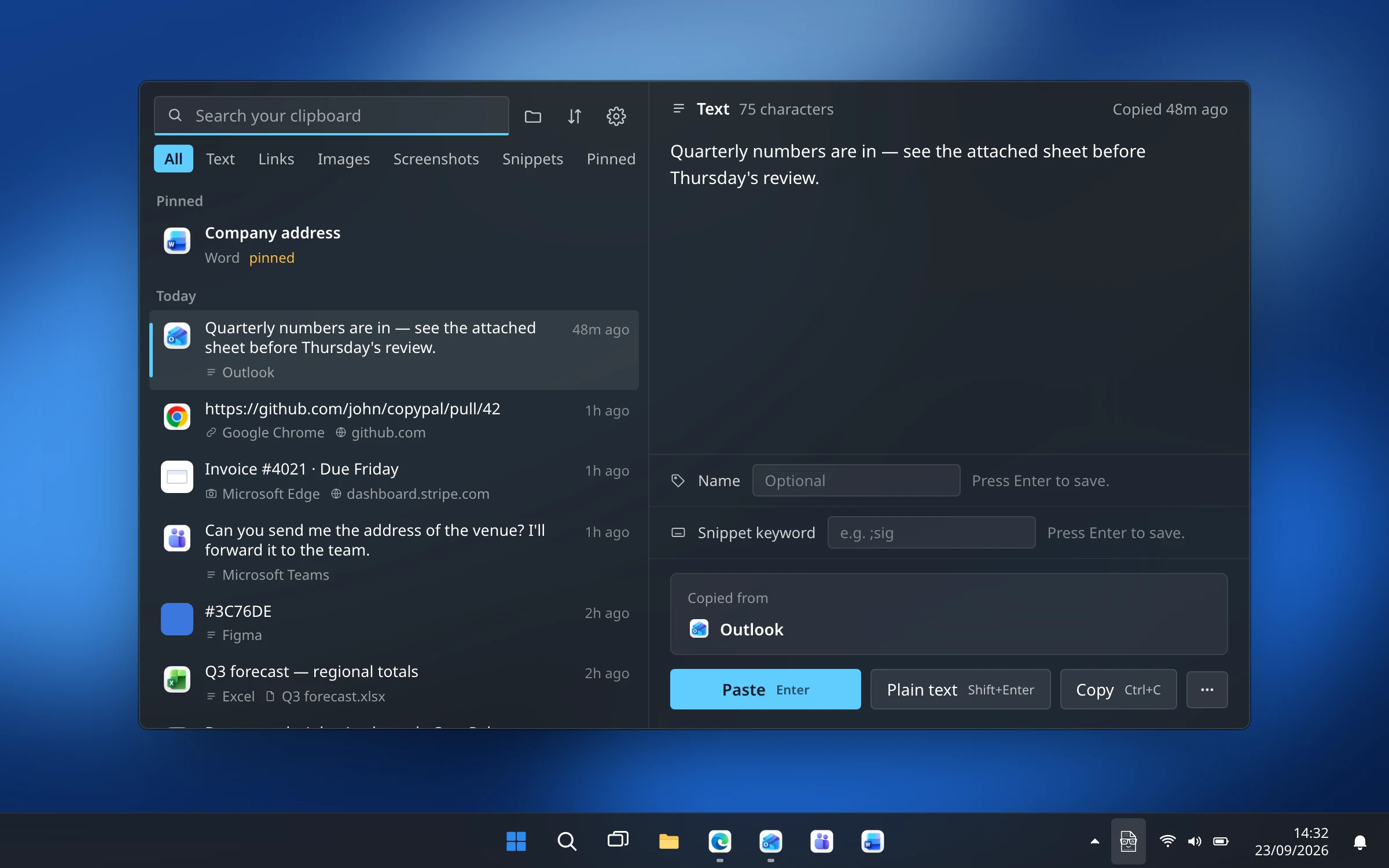
Screenshots are kept, and the text inside them is recognised on your PC, so a search for a word finds the screenshot that contains it. Add snippets that expand when you type a keyword, a paste stack for pasting several items in order, pins, names and groups, and settings that follow Windows' light or dark mode and your accent colour.
It is a one-time purchase that covers two devices, Mac or PC, and nothing leaves your machine. The trade-offs: the Windows app shipped in September 2026, so it is younger than the Mac one (the feature set is the same); there is no sync between PCs; and there is no free tier, only a 14-day refund.
Best for: people who copy from many apps and pages all day and want to find things again by where they came from, not just by what they said.
Windows Clipboard History
The built-in option costs nothing and needs no install: press Win+V, turn it on, and Windows keeps your last 25 copies of text, HTML and images under 4 MB. You can pin items so they survive a restart, and optionally sync the history to your other PCs through your Microsoft account.
The limits are the whole story. There is no search, no record of where anything came from, the list is cleared at restart unless pinned, and 25 items is a couple of hours for a busy day. We wrote a full guide to Win+V if you want to get the most out of it.
Best for: occasional use, and anyone who cannot install software on their work PC.
Ditto
Ditto is the veteran of the category: free, open source, light, and around for almost twenty years. A hotkey opens a list of everything you copied, you type to search, and Enter pastes. It keeps images, lets you assign hotkeys to individual clips, organises them into groups, pastes several at once, and can sync between your own PCs over the network.
What it does not do is remember the page a copy came from, find a screenshot by its text, or expand keywords into snippets, and the interface has not changed much since the Windows XP days. If none of that bothers you, it is hard to argue with free.
Best for: people who want a proven free tool and do not mind the looks.
CopyQ
CopyQ is also free and open source, and it runs on Windows, macOS and Linux with the same history and settings. It is the most programmable of the group: tabs, tags, editing clips in place, pinned items, and a scripting language plus a command-line interface for automating anything you can think of. That power comes with a learning curve, and the interface is functional rather than pretty.
Like Ditto, it does not record the source page or search inside screenshots, and snippets are something you build with commands rather than a keyword you type.
Best for: tinkerers who want scripting, or who use more than one operating system and want one tool everywhere.
ClipboardFusion
ClipboardFusion, from the makers of DisplayFusion, started as a tool for stripping formatting from copied text, and that is still its strongest feature: text scrubbing that turns rich text into plain text automatically. The free version adds a clipboard history and pinned items; Pro adds cloud sync and more. Macros written in C# and triggers that run them on matching text make it a good fit for repetitive text clean-up.
It does not remember where a copy came from, and searching screenshots by their text is not something its site advertises.
Best for: people who mainly want formatting stripped and text transformed on the way to the paste.
How to choose
- You copy a few things a day and want nothing to install: turn on Win+V and pin what matters.
- You want a free, long-lived tool with search and groups: Ditto.
- You want to script your clipboard, or use Linux and macOS too: CopyQ.
- You mostly want formatting stripped on paste: ClipboardFusion.
- You copy from many apps and web pages and want to find things later by where they came from, including screenshots: CopyPal.