 CopyPal
How to paste without formatting on Windows
Formatted text is sticky. Copy a line from a web page and it lands in your email in the wrong font, size and colour. Here is the shortcut that strips formatting, the apps where it does not work, and two ways to make plain text the default.
The shortcut: Ctrl+Shift+V
In Chrome, Edge and Firefox, and in apps built on the same engine such as Teams, Slack and Discord, Ctrl+Shift+V pastes as plain text. It works in Gmail, Google Docs and most web apps for the same reason: the browser handles the paste. The text takes the formatting of wherever you put it, and nothing else comes along.
Word, Outlook and Excel do it their own way
- Word: paste normally, then click the small paste options button that appears next to the text and choose Keep Text Only. Or press Ctrl+Alt+V for Paste Special and pick Unformatted Text. Recent Microsoft 365 versions of Word also accept Ctrl+Shift+V; older ones do not.
- Make it Word's default: File › Options › Advanced › Cut, copy, and paste, and set Pasting from other programs to Keep Text Only. Everything pasted from a browser or email arrives plain from then on.
- Outlook: the same paste options button and the same Paste Special dialog.
- Excel: formatting rides along with values. Use Paste Special (Ctrl+Alt+V) and choose Values, or the paste options button and the Values icon.
- Notepad only understands plain text, so a normal Ctrl+V is already unformatted there.
The Notepad wash
The oldest trick on Windows: paste into Notepad, select all, copy again, paste where you wanted it. Notepad cannot hold formatting, so it strips everything on the way through. Slow, but it works in any app.
PowerToys, for a shortcut that works everywhere
Microsoft's free PowerToys includes Advanced Paste, which grew out of the earlier Paste As Plain Text tool. Once installed, Win+Ctrl+Alt+V pastes the clipboard as plain text in any app, and the shortcut can be changed in PowerToys Settings. It is a good answer if you only want the one feature and do not mind the four-key chord.
Make plain text the default with a clipboard manager
CopyPal, which we make, keeps a history of everything you copy and has plain-text pasting built in at two levels. In the panel (Ctrl+Shift+V), Shift+Enter pastes the selected item as plain text, whether you copied it a second ago or last week. And in Settings › General there is a switch, Paste as plain text by default, which makes every paste from CopyPal plain; hold Shift when pasting to get the formatting back for that one item.
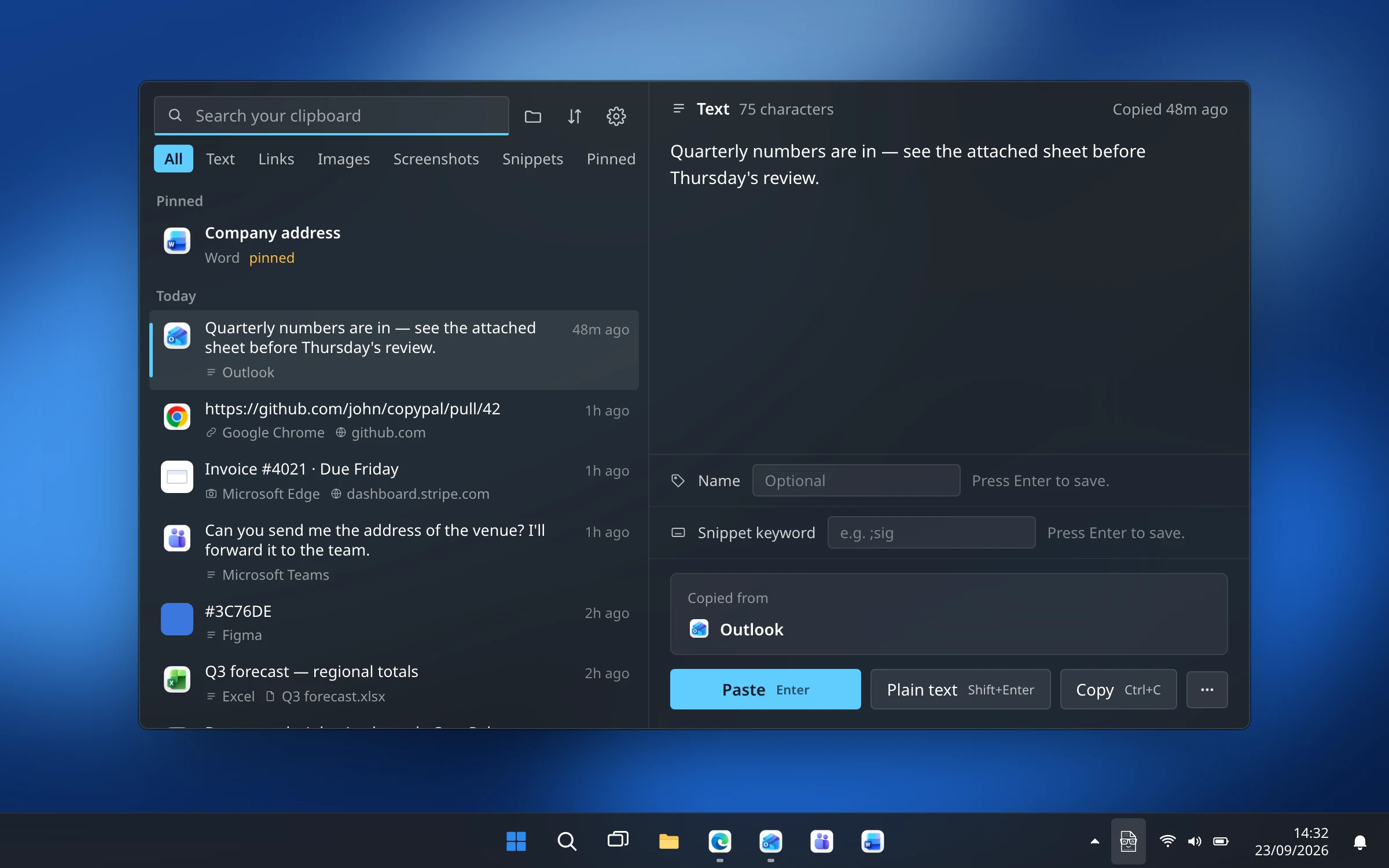
One thing to know: CopyPal uses Ctrl+Shift+V for its panel by default, which is the same shortcut browsers use for plain-text pasting. If you want to keep the browser shortcut, give CopyPal a different one in Settings › Shortcuts; otherwise Shift+Enter in the panel does the same job for anything you have copied.
Questions
What is the shortcut to paste without formatting in Windows?
Ctrl+Shift+V in Chrome, Edge, Firefox, Teams, Slack, Discord, Gmail and Google Docs. Word, Outlook and Excel use their own paste options instead: Keep Text Only, or Paste Special with Ctrl+Alt+V.
Why doesn't Ctrl+Shift+V work in Word?
Older versions of Word do not have that shortcut. Paste normally and click the paste options button, then Keep Text Only, or press Ctrl+Alt+V for Paste Special and choose Unformatted Text. Recent Microsoft 365 versions of Word also accept Ctrl+Shift+V.
How do I make Windows always paste plain text?
Windows has no global switch. In Word you can set Pasting from other programs to Keep Text Only under File › Options › Advanced. PowerToys adds a paste-as-plain-text shortcut that works everywhere, and a clipboard manager such as CopyPal can paste plain by default for everything it records.