 CopyPal
How to remove tracking from links before you share them
Many links you copy carry extra tags after a question mark, such as utm_source, fbclid, gclid or si, that tell a website or an ad network where the click came from, and sometimes who shared it. To remove them, delete the part from the question mark onwards, unless it holds something the page needs, like a YouTube video. Firefox and Brave can copy a clean link for you, and Safari strips known trackers in Private Browsing.
At a glance
| Task | How |
|---|---|
| Spot the tracking | Look after the ? for names like utm_source, fbclid, gclid, si |
| Remove it by hand | Delete from the ? to the end, but keep parts the page needs, such as v=, t= or q= |
| Firefox | Right-click a link › Copy Clean Link |
| Brave | Right-click a link › Copy clean link; known click IDs are stripped automatically |
| Safari | Removes known tracking in Private Browsing; can be turned on for all browsing |
| Any app | A clipboard manager that cleans links as you paste them |
What are tracking parameters in a link?
A web address has two parts: the address of the page, and an optional list of extras after a question mark. Here is a link to this article as it might arrive in a newsletter:
https://copypal.app/blog/remove-tracking-from-links?utm_source=newsletter&utm_medium=email&utm_campaign=october
Everything before the ? is the page. After it come parameters: pairs of name=value, joined by &. Some parameters are needed, such as which video to play or what you searched for. Many are there only for measurement. They do not change what you see. They tell analytics and advertising tools where you came from, which campaign or ad sent you, and in some cases which person shared the link.
Common tracking parameters and what they do
| Parameter | Added by | What it is for | Safe to remove? |
|---|---|---|---|
utm_source, utm_medium, utm_campaign, utm_term, utm_content, utm_id | Whoever shared the link, often a newsletter or social post | Campaign tags read by Google Analytics and similar tools: where the click came from and which campaign | Yes |
fbclid | Facebook click identifier, added to links you click on Facebook | Yes | |
gclid | Google Ads | Google Click Identifier, added when you click an ad | Yes |
msclkid | Microsoft Advertising | Microsoft Click ID, added when you click an ad | Yes |
mc_cid, mc_eid | Mailchimp newsletters | The campaign, and an ID for the recipient's email address | Yes |
si | YouTube and Spotify Share buttons | A share code that differs from share to share | Yes |
igsh | Instagram share links | A share code; Instagram does not document it | Yes |
v | YouTube | Which video to play | No |
t | YouTube | Where the video starts | Keep it if the time matters |
q | Search engines and site search | What was searched for | No |
What is fbclid?
fbclid stands for Facebook click identifier. When you click a link on Facebook that leads to another website, Facebook adds it to the address. If that site uses Meta's advertising tools, it can read the value and connect your visit to the click on Facebook. gclid does the same job for Google Ads and msclkid for Microsoft Advertising. None of them changes the page, so all three can go.
Why remove tracking from links?
- Privacy. Some tags point at a person. In a Mailchimp newsletter with shop tracking switched on,
mc_eididentifies the reader's email address, so a forwarded link can carry your ID with it. Share codes such assican tie a link to the account that shared it; Spotify's community moderators say the code can be used as a reference, and that removing it gives a link without that context. - Shorter, tidier links. A link in an email, a document or a slide reads better without a line of tags after it.
- Clear destinations. People can see where a clean link goes before they click.
- Accurate figures. A campaign link you pass on credits someone else's newsletter or ad with your visit.
How to remove tracking from a link by hand
- Paste the link where you can edit it: the address bar, an email or a document.
- Find the question mark. Before it is the page; after it, the parameters.
- Spot the tracking parameters, using the table above.
- Delete them. If every parameter is tracking, delete from the
?to the end. If some are needed, delete only the trackingname=valuepairs and the&next to each. - Test it. Open the cleaned link once to check it still goes to the right page.
The newsletter link from earlier, before and after:
| Link | |
|---|---|
| Before | https://copypal.app/blog/remove-tracking-from-links?utm_source=newsletter&utm_medium=email&utm_campaign=october&fbclid=IwAR0example |
| After | https://copypal.app/blog/remove-tracking-from-links |
| Mixed, before | https://example.com/search?q=desk+lamp&page=2&utm_source=partner&gclid=Cj0example |
| Mixed, after | https://example.com/search?q=desk+lamp&page=2 |
Do not remove everything blindly. On YouTube, v= is the video and t= the start time; on a search page, q= is the search; on a shop, parameters can hold the colour or size you picked. Leave anything after a # alone too, because it usually points to a spot on the page. If a cleaned link breaks, undo with Command-Z (⌘Z) or Ctrl+Z and remove less.
Short links, such as those from bit.ly, hide the full address. Open one first, then copy the address from the address bar and clean that.
Does my browser remove tracking from links?
Firefox: Copy Clean Link
Right-click a link and choose Copy Clean Link. Firefox copies the address without the tracking parameters on its list. The option arrived in Firefox 120 as "Copy Link Without Site Tracking" and was renamed in Firefox 135. If you set Enhanced Tracking Protection to Strict in Settings › Privacy & Security, Firefox also strips known tracking parameters from links as you open them.
Brave: Copy clean link and automatic stripping
Brave removes common click IDs such as fbclid, gclid and msclkid from addresses by default, on desktop and Android. Right-click a link, or the address bar, and choose Copy clean link to remove more, including utm_ tags. Brave's own notes say it applies the same cleaning when you copy with Ctrl+C, by default everywhere except the Mac.
Safari: Private Browsing, Mail and Messages
Safari's advanced tracking and fingerprinting protection is on by default in Private Browsing, and Apple says it removes known tracking parameters from addresses. To use it in every window, choose Safari › Settings › Advanced and set Use advanced tracking and fingerprinting protection to all browsing. If a site misbehaves, choose View › Reload Reducing Privacy Protections. Apple does not publish which parameters are on its list. Separately, Mail and Messages remove tracking information from links you share, on Macs since macOS Sonoma and on iPhone since iOS 17.
Chrome and Edge
As of October 2026, neither Chrome nor Edge advertises a built-in way to copy a clean link. People who use them rely on extensions.
Extensions in general
Link-cleaning extensions strip known tracking parameters as you browse or copy. Two cautions: they need permission to read and change the pages you visit, so choose a well-reviewed one from your browser's official store; and, like the browsers, they only remove parameters on their list.
Clean links in any app: a clipboard manager
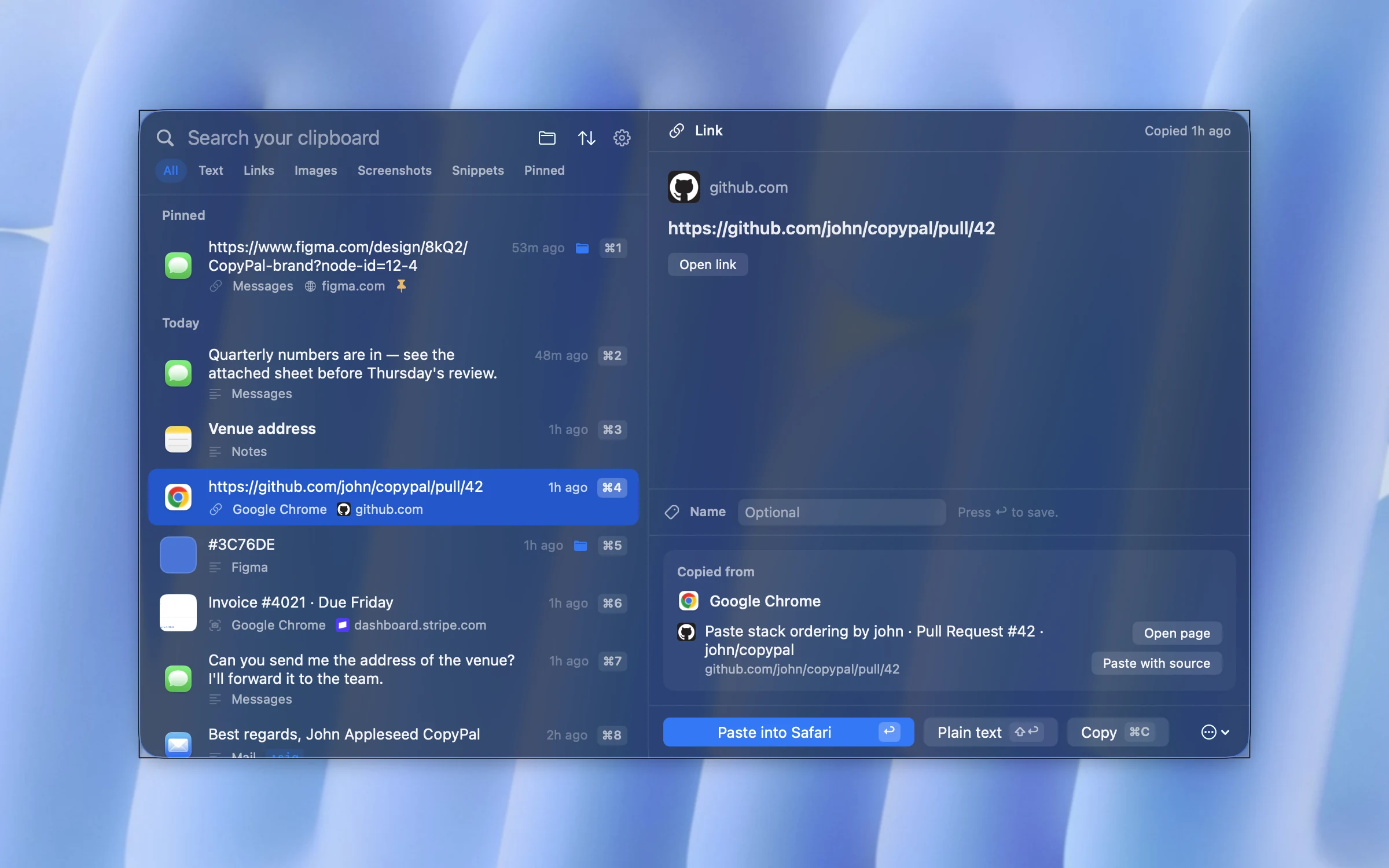
Browser features only help inside that browser. Links also arrive in email, in Teams or Slack, in documents and in PDFs, and they go out through all of them. A clipboard manager can clean a link at the moment you paste it, wherever that is. We make one, CopyPal, so here is how it works there.
- Paste clean link. When you copy a link with tracking parameters, such as
utm_tags,fbclidorgclid, CopyPal offers a Paste clean link option next to the usual Paste. - Or always clean. Turn on Always remove tracking from links when pasting in Settings, and every link you paste through CopyPal comes out clean. Paste original is there for the times you need the full address.
- The original stays in your history. Nothing is lost; the full link, and the page it came from, are still there if you need them.
It works on Mac and Windows, in any app you paste into. CopyPal also pastes without formatting when you want plain text, on Windows as well (here is how). If you are weighing up what a clipboard manager keeps, read are clipboard managers safe? first.
Frequently asked questions
What is fbclid?
fbclid is the Facebook click identifier. Facebook adds it to links you click on Facebook so the website you land on can connect your visit to that click. It does not change the page, so you can delete it.
Is it safe to remove UTM parameters from a URL?
Yes. utm_source, utm_medium, utm_campaign, utm_term, utm_content and utm_id only tell the website's analytics where a click came from. The page loads the same without them.
How do I remove tracking from a link?
Delete the tracking parameters after the question mark, such as utm_source, fbclid, gclid or si. Keep parameters the page needs, such as YouTube's v and t or a search's q. In Firefox, right-click a link and choose Copy Clean Link; in Brave, choose Copy clean link.
Does removing tracking break the link?
Not when you remove only tracking parameters. It breaks when you remove something the page needs, such as a video ID, a product option or a search term. Open the cleaned link once to check it before you share it.
What is the si parameter in YouTube and Spotify links?
si is a share code added to links made with the Share button in YouTube and Spotify. Neither company documents exactly what it records, but it differs from share to share, so it can tie a link to the account that shared it. The link works without it.
Does Safari remove tracking from links?
In Private Browsing, yes: Safari's advanced tracking and fingerprinting protection is on by default there and removes known tracking parameters from addresses. You can turn it on for all browsing in Safari Settings › Advanced. Mail and Messages also remove tracking information from links you share.