 CopyPal
Where is the clipboard on a Mac, and how do I see it?
There is no clipboard app on a Mac and no icon to click. The clipboard is a hidden holding area that keeps exactly one thing: the last item you copied or cut. Here is how to look at it, clear it, and keep more than one thing.
What the Mac clipboard is
Every time you press ⌘C or ⌘X, macOS puts that text, image or file reference in a shared holding area, and ⌘V takes it out again in whatever app you are in. That is the whole clipboard. It lives in memory, it holds one item, and the next copy replaces it. Restart the Mac and it is empty.
It also reaches across your devices. With Handoff on, the same Apple Account, and Bluetooth and Wi‑Fi enabled on both, something you copy on your iPhone can be pasted on your Mac a moment later, and the other way round. Apple calls this Universal Clipboard, and it uses the same single slot.
How to see what is on the clipboard right now
- Click the desktop, or any Finder window, so that Finder is the active app.
- In the menu bar choose Edit › Show Clipboard.
A small window opens with the current item, text or image, and a line saying what kind of content it is. It is read-only and it shows one item only; there is no way to scroll back to what you copied before. The quicker check, most days, is to paste into a blank note and look.
How to clear the clipboard
Copy something harmless, such as a single space, and it replaces whatever was there. If you want it truly empty, open Terminal and run pbcopy < /dev/null. Restarting the Mac also clears it. Note that this clears only the system clipboard; if you use a clipboard manager, its history is separate and stays until you delete it there.
Why you cannot see what you copied earlier
Because macOS never kept it. One item in, one item out. On macOS 26 Tahoe, Spotlight can optionally keep recent copies for a few hours, which helps when you overwrite something a minute ago, but it is short-lived and it is not on older versions. For a real history you need a clipboard manager: a small app that watches the clipboard and records every copy on disk, so you can find and paste anything later.
Keeping a history of everything you copy
We make one, CopyPal, so here is what it does and you can judge whether it is for you. It sits in the menu bar, records every text, link, image and screenshot you copy, and opens with ⇧⌘V. Each item is filed with the app it came from and, for Safari, Chrome and other browsers, the page as well, so a quote or a link is never orphaned. Type to search, use the arrow keys, press Return to paste into the app you were in.
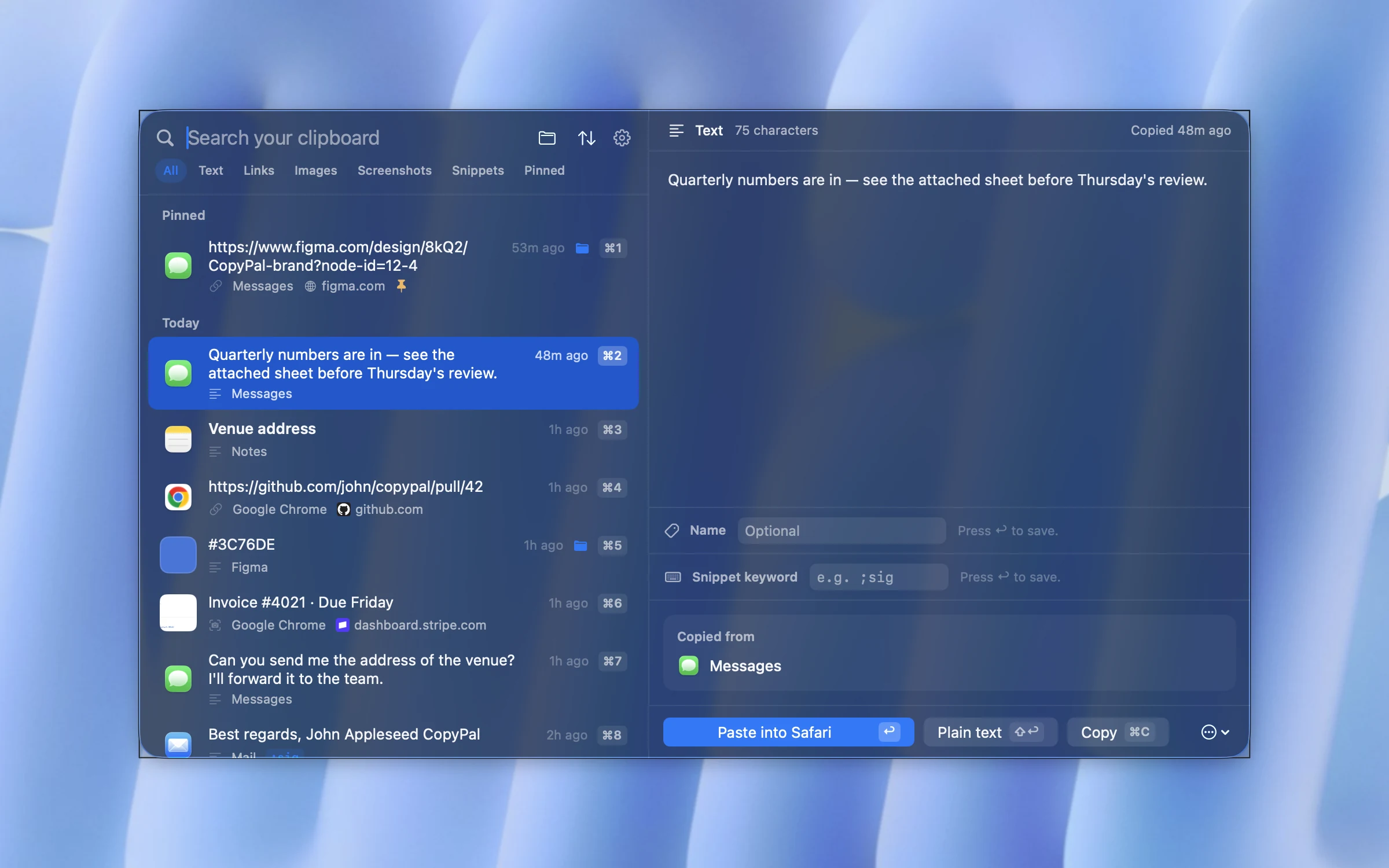
Screenshots are kept too, and the text inside them is recognised on your Mac, so a search for a word finds the screenshot that contains it. Everything stays in a local database in your user folder; there is no account and nothing is uploaded. Set-up is three steps:
- Download CopyPal and drag it to your Applications folder.
- Open it and allow Accessibility when asked. That permission is what lets CopyPal press ⌘V for you and read the address of the page you copied from.
- Press ⇧⌘V.
Questions
Is there a clipboard app on a Mac?
No. The clipboard is a hidden holding area inside macOS with no app or icon. The only built-in way to look at it is Finder › Edit › Show Clipboard, which displays the one item currently on it.
How do I open the clipboard on my Mac?
Click the desktop or a Finder window, then choose Edit › Show Clipboard from the menu bar. A small window shows the last thing you copied. To see earlier copies you need a clipboard manager.
Does the Mac clipboard keep more than one item?
No. Every copy replaces the previous one. On macOS 26 Tahoe, Spotlight can optionally keep recent copies for a few hours. For a full, searchable history use a clipboard manager such as CopyPal.
How do I clear the clipboard on a Mac?
Copy something harmless, such as a single space, and it replaces whatever was there. In Terminal, pbcopy < /dev/null empties it completely. Restarting the Mac also clears it.
Where is the clipboard history on macOS?
macOS itself does not keep one, apart from the optional short-lived history in Spotlight on macOS 26. A clipboard manager keeps every copy on disk; CopyPal opens its history with ⇧⌘V.